


Pixum photo book portrait format
Ideal for portraits and special moments
ca. 21×28 cm (~DIN A4)
Booklet, soft- or hardcover
6 different paper types available
from £19.95 *

Ideal for portraits and special moments
ca. 21×28 cm (~DIN A4)
Booklet, soft- or hardcover
6 different paper types available
from £19.95 *

Top quality in the impressive XXL format
ca. 28×36 cm (~DIN A3)
Booklet, hard- oder softcover
Available with various bindings
from £59.95 *

Photo book pages are flat-folded in the center
Perfect for panoramic photos across the entire double-page
Exclusively available for photo paper

Photo book pages are glued together at the spine
Comparable to classic bookbinding
Exclusively available for premium papers

Exposure on FUJIFILM photo paper (382 g/m²)
Smooth and glossy surface
Intense, bright colours and special depth sharpness
Your photo across two pages with our layflat binding
Exposure on FUJIFILM photo paper (368 g/m²)
Semi matt surface
Intense, natural colours and depth sharpness
Your photo across two pages with our layflat binding

Exposure on FUJIFILM photo paper (370 g/m²)
Extra matt, non-reflective surface
Muted colours appear very elegant
Your picture across two pages with our layflat binding

Printed on premium paper (200 g/m²)
Smooth and glossy surface
Vivid colours & strong contrast
Available with classic book binding
Printed on premium paper (200 g/m²)
Semi matt surface
Rich colours & balanced contrast
Available with classic book binding

Printed on premium paper (160 g/m²)
Matt, slightly rough surface
Muted colours & soft contrast
Available with classic book binding

Printable inner pages made from bright white 100% recycled paper (200 g/m²)
Silky matt finish
Hardcover and classic bookbinding

Find the perfect paper type for your Pixum photo book and compare our high-quality papers with the paper sample set for £5.00.
No extra cost: You’ll receive a £5.00 voucher to redeem with your next Pixum photo book order.

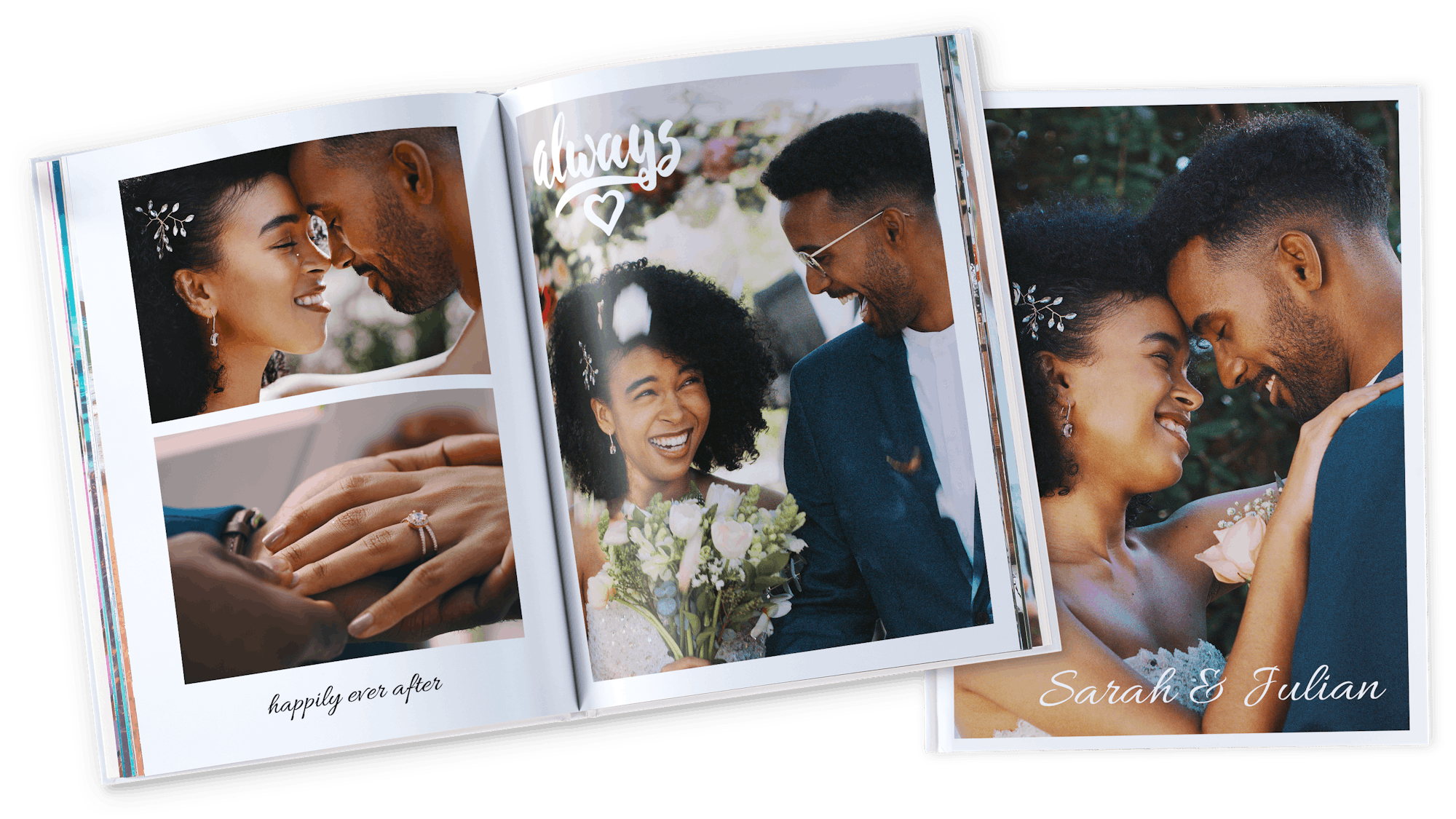
In a portrait-format photo book, portraits and landscape shots of flowers, waterfalls, or mountains come to life beautifully. Photos in portrait format exude a unique sense of dynamism, strength, and movement, making them the perfect way to capture and relive special moments.
Of course, you can also include landscape and square-format images in your portrait photo book. Create a visually engaging layout by mixing large-scale photos with smaller pictures and detailed close-ups.

Design your portrait-format photo book online, with the Pixum Photo World software, or quickly and easily via the app. In the software, you can choose from a wide range of design templates for your personalised photo book. You also have the option to save your drafts and continue editing them at any time.
The same applies to the Pixum app, where you can effortlessly capture your favourite photos from your smartphone in a unique portrait-format photo book.

You can easily enhance your portrait-format photo book with our free clipart and beautiful illustrations. Use small symbols, stickers, hearts, or quotes to highlight individual pages and add variety to your photo book.
Here’s how it works: Select the clipart of your choice, place them on the cover or within the pages of your portrait-format photo book, and adjust their size and orientation to fit your preferences. In the Pixum Photo World Software, you can even change the colour of the clipart!





I love my book and really enjoyed putting it together. The quality is really good. In the beginning it took a little while to navigate the app but I soon got the hang of most of what it did but not all. I would have liked it to do a few more things such as the ability to place photos in shapes and clouds etc. I also think the price point is rather steep and probably would make more books if they weren?t so expensive.
Amazing quality product and everything looks as good as it did on the design software. Worth every penny, will be back for my next one soon.
Great quality, good delivery
Simply a very good photobook promptly delivered. Good value with 20% discount. Best results on Gloss paper on my opinion.
Fantastic quality, far better than anticipated. Initially thought it was a little expensive until it arrived and I experienced it in my hand. Very happy customer.
Fantastic quality very easy to use upload program. Loving the layout especially the design on the front cover
Excellent value for money!
Absolutely fantastic photobook of my Grandson's first year.
it was perfect i would recommend it to anyone